5 min read
 Managing risk is at the heart of sustainable trading. Whether you’re just starting out or you prefer a more conservative approach, having the ability to dial back your leverage can make a real difference to how you experience the markets — and how long your account stays healthy. That’s why we’ve introduced adjustable leverage for all MT5 accounts on PrimeXBT.
What’s changed
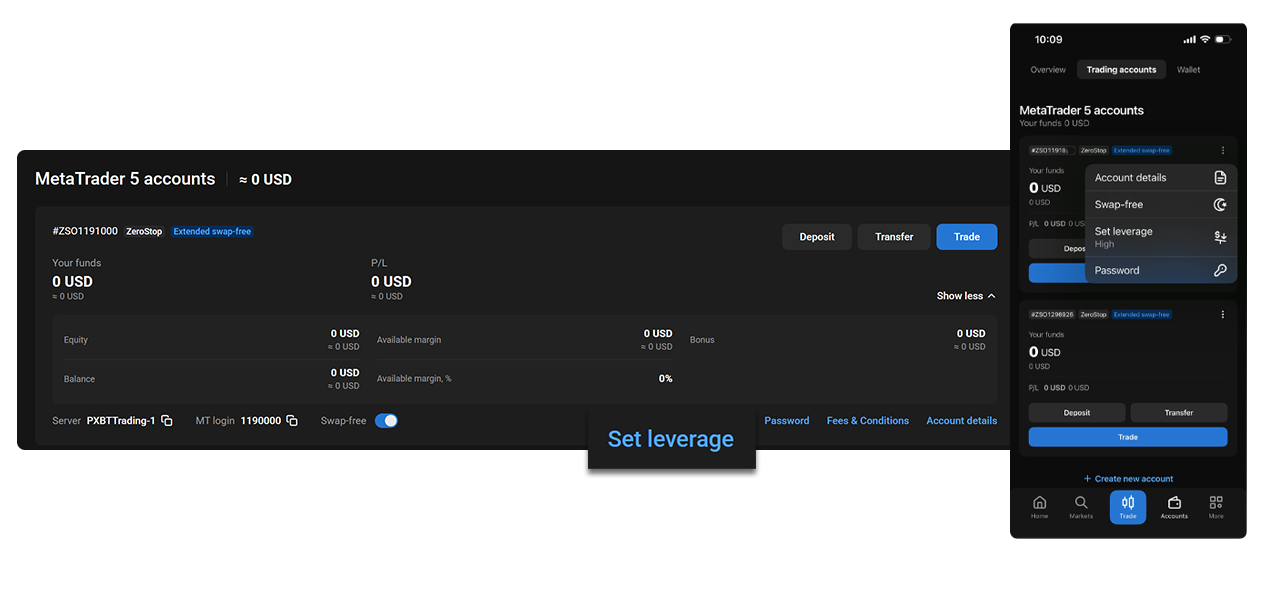
Previously, MT5 accounts on PrimeXBT operated on our standard floating leverage tiers. Now, you can choose how much of that leverage you actually want to use — directly from your account card, in a few taps.
Head to your account card, click ‘Set Leverage‘, and you’ll see a simple pop-up with three options: High, Medium, and Low. No raw multiplier numbers to decode. Just three clearly labelled settings that map to meaningful reductions in your exposure.
The three settings explained
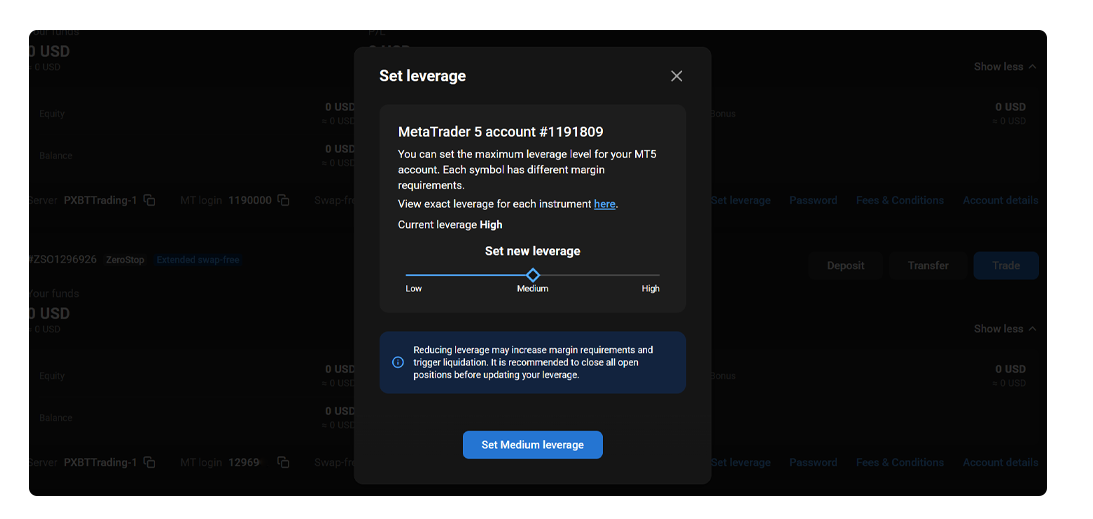
High is the default. It keeps your existing floating leverage tiers exactly as they are — nothing changes if you stay here. For example, let’s take an instrument with default tiers set up to 1:1000, 1:500, and 1:200 depending on the instrument and position size.
Medium reduces your leverage to 50% of the current tiers. Using the same example, those tiers become 1:500, 1:250, and 1:100. This is a meaningful step down that brings your exposure closer to what many offer as their standard maximum — making it a comfortable middle ground for traders who want some leverage without the full range.
Low reduces leverage further, to 20% of the current tiers. In the same example, that translates to 1:200, 1:100, and 1:40. For traders who prefer a conservative approach, or who are building disciplined habits around position sizing, this setting offers a more measured environment.
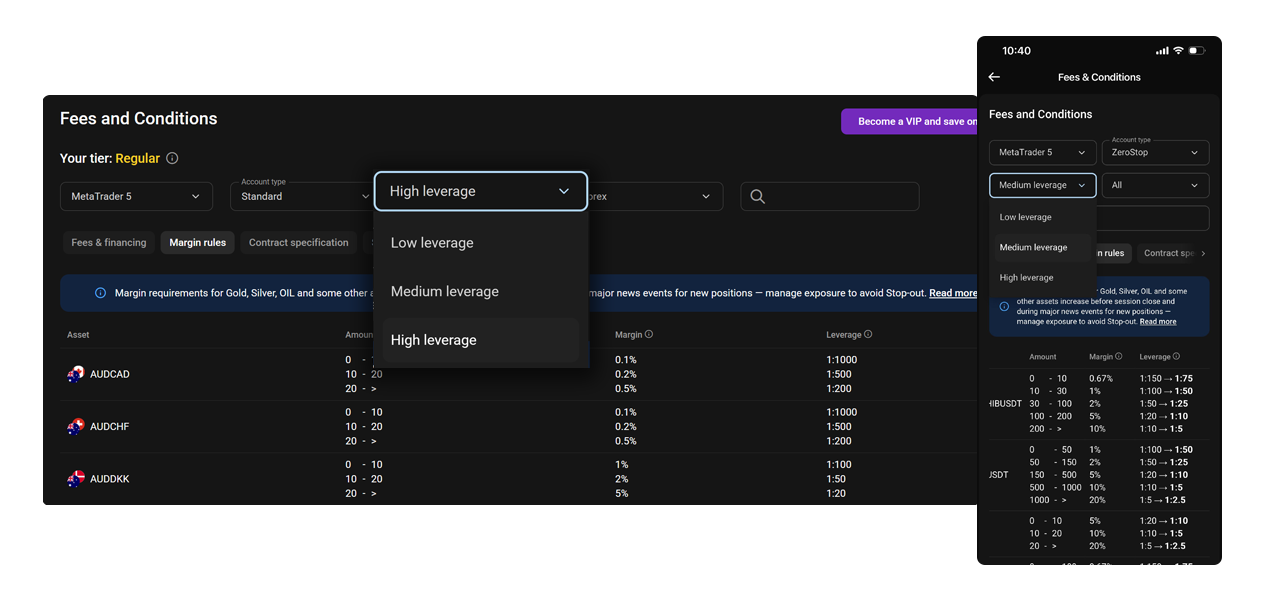
You can view the exact leverage tiers for each setting in the Fees & Conditions section via the Leverage dropdown.
Why this matters for your trading
High leverage amplifies both gains and losses. When markets move against you quickly, high leverage can trigger forced liquidations — wiping out equity before you have a chance to react. Lower leverage settings reduce that risk by limiting how much borrowed capital is in play at any given time.
For traders who are newer to the markets, or who are used to the leverage ranges offered by many popular brokers, the Medium and Low settings provide a familiar and more forgiving environment. You can trade with confidence, knowing your exposure is within a range you’re comfortable with.
There are also longer-term benefits. Smaller drawdowns mean less emotional pressure, more consistent decision-making, and a better foundation for building a trading strategy over time.
Minor usability notes
The leverage selector is built into the existing account card interface, so there’s no need to navigate to a separate settings page. The pop-up also includes a direct link to the Fees & Conditions section, where you can review the precise leverage tiers before making a change.
How to set your leverage
- Go to your MT5 account card.
- Click ‘Set Leverage‘.
- Choose High, Medium, or Low from the pop-up.
- Review the exact tiers in Fees & Conditions if needed.
*Trading involves risk.
Author



 Risk Disclaimer
The content provided here is for informational purposes only. It is not intended as personal investment advice and does not constitute a solicitation or invitation to engage in any financial transactions, investments, or related activities. Past performance is not a reliable indicator of future results.
The financial products offered by the Company are complex and come with a high risk of losing money rapidly due to leverage. These products may not be suitable for all investors. Before engaging, you should consider whether you understand how these leveraged products work and whether you can afford the high risk of losing your money.
The Company does not accept clients from the Restricted Jurisdictions as indicated in our website/ T&C. Some services or products may not be available in your jurisdiction.
The applicable legal entity and its respective products and services depend on the client’s country of residence and the entity with which the client has established a contractual relationship during registration.